
Pick $/hr over total pay
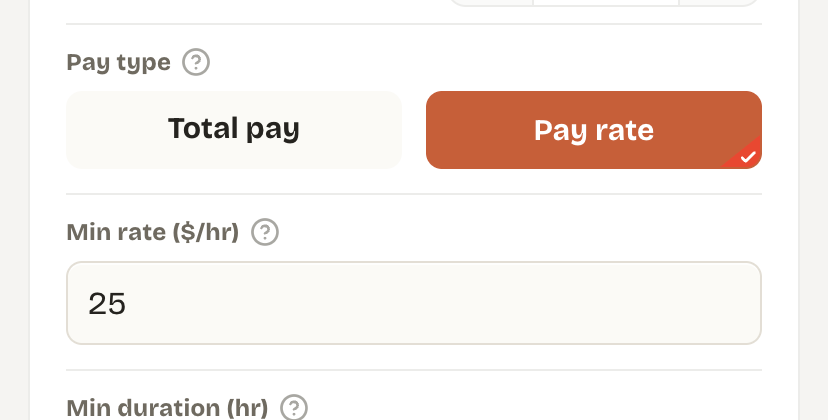
A $120 route sounds better than a $60 one, until you find out the $120 route takes 6 hours and the $60 one takes 2. Total pay ignores time, and time is the thing you actually have a limited amount of. Rate-based filtering (pay rate, not total pay) is the more honest number — it tells you what an hour of your day is actually worth on that specific route.
How to find your actual number
Don't guess. Pull your last two or three weeks of completed routes and calculate pay ÷ hours for each one. Sort them. The routes you'd happily do again are almost always clustered above a specific number — that number is your floor, not some round figure you picked because it sounded fair.
- Min rate ($/hr) — set it at or slightly above the rate of routes you were glad you took last week.
- Min / max duration (hr) — protects against routes that are technically well-paid but eat an entire day you needed for something else.
- Max distance (m) — keeps you out of routes that pay fine per hour but strand you two hours from home at the end.
- Max stops — a route with the same pay but half the stops is almost always the better route; capping stops filters out the grindy ones.
Revisit it monthly, not never
Your floor should move with the market and with your own life — gas prices, a new car payment, a season where Veho volume is unusually high or low in your area all shift what "good" looks like. Drivers who set a filter once and never touch it again tend to either miss routes they'd actually want (floor too high) or keep taking routes they've grown to resent (floor too low).
Set it once, let it hold the line
MagicHove applies your pay-rate, duration, and distance filters to every offer, 24/7 — so the floor you set is the floor that actually gets enforced. 7-day free trial, no card required.